

Living in an assisted living community often means using technology for communication, health routines, entertainment, transportation, and daily convenience. The right tools can support independence, but they should be easy to understand, comfortable to use, and set up with privacy and safety in mind.
For residents and families in Newtown, PA, technology can also help maintain connections during winter weather, summer heat, travel, or periods when leaving the community is less convenient. The goal is not to use every new device. It is to choose a few dependable tools that solve real problems.
Which devices are easiest for seniors to use?
Tablets and smartphones are often the most useful choices because they combine several functions in one device. A tablet may be easier to read because of its larger screen, while a smartphone can be more convenient for calls, reminders, and use outside the apartment.
A simple setup usually works better than a device filled with unused applications. Helpful features include:
- Large text and high-contrast display settings
- Clear volume controls
- Voice-to-text for messages
- A short list of frequently used contacts
- A charging stand placed near a favorite chair or bedside table
- A protective case with a comfortable grip
Residents who have difficulty with small buttons may benefit from voice commands, a stylus, or a wireless keyboard. Accessibility settings are not just for people with severe vision or hearing loss. They can make ordinary tasks less tiring for anyone experiencing changes in eyesight, dexterity, memory, or hearing.
How can residents stay in touch with family?
Video calls can make conversations feel more personal, especially when family members live far away or cannot visit regularly. The simplest approach is to establish a predictable routine, such as a weekly call at the same time.
Before a video call, check:
- Whether the device is charged
- Whether the camera is facing the resident
- Whether the room has enough light
- Whether the microphone is uncovered
- Whether the internet connection is working
A family member can create a contact labeled with a familiar name and photograph. This reduces the need to search through a long contact list. Some residents prefer regular phone calls, which remain a reliable option when video feels distracting or complicated.
During periods of heavy rain, snow, or extreme heat, digital communication may be especially useful for maintaining contact without requiring an in-person trip. Technology should supplement personal visits and phone conversations, not replace them entirely.
What privacy settings should seniors review?
Privacy settings control who can see personal information, contact a resident, track a device, or access an account. These settings deserve attention because many devices automatically collect more information than users realize.
Important steps include:
- Use a screen lock with a PIN that is not easy to guess.
- Avoid sharing passwords through text messages or email.
- Turn off location sharing unless it serves a clear purpose.
- Review which applications can use the camera, microphone, or contacts.
- Keep financial and medical information out of casual messages.
- Ask a trusted family member to help review account recovery options.
A written record of important passwords can be kept in a secure location, but it should not be left beside the device. Reusing the same password for banking, email, and social media increases risk because one stolen password may expose several accounts.
Some residents use a trusted person to help manage technology. That arrangement should be clear about what the helper can access and what remains private.
How can seniors recognize technology scams?
Most technology scams create urgency, fear, or confusion. A message may claim that an account will be closed, a payment is overdue, a package is waiting, or a relative needs immediate help. Scammers often ask for gift cards, wire transfers, banking information, passwords, or remote access to a device.
A safe response is to pause and verify the request through a separate method. For example, do not use the telephone number or link provided in a suspicious message. Instead, contact the person or organization through information already known to be genuine.
Warning signs include:
- Pressure to act immediately
- Requests for secrecy
- Unexpected requests for money
- Demands for passwords or security codes
- Poor spelling combined with unusual payment instructions
- Pop-up messages claiming the device is infected
- A caller asking to control the device remotely
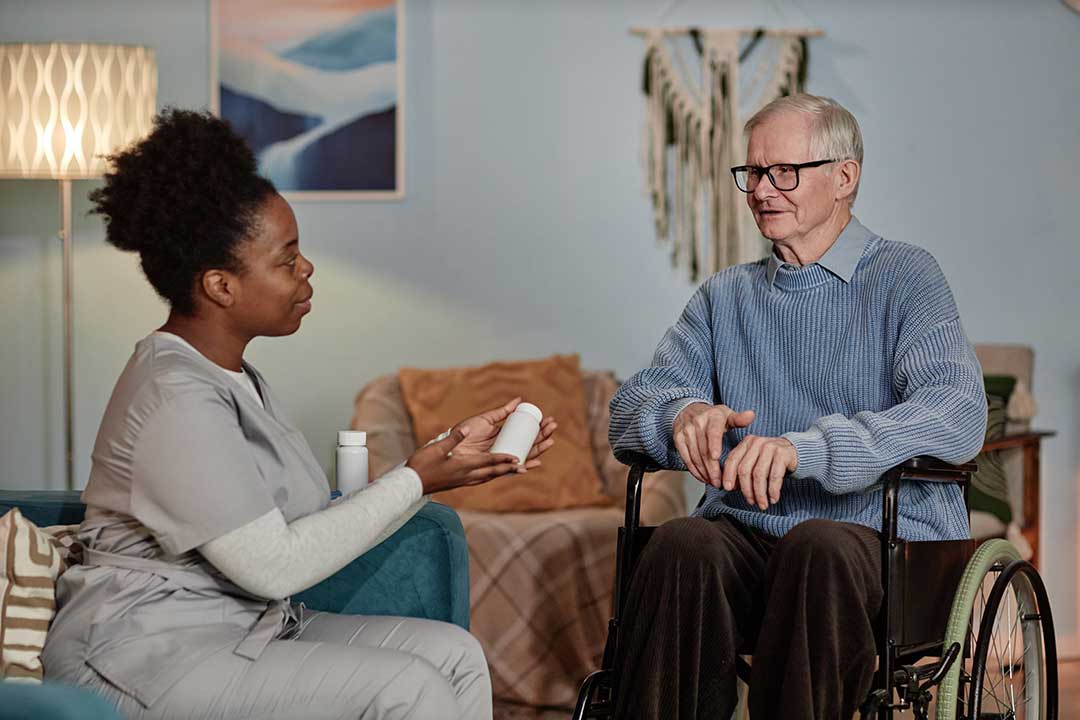
No legitimate helper should need a resident’s full password or ask for payment by gift card. If a suspicious message appears, it can be shown to a family member or trusted staff person before any response is made.
Are medical reminders and health devices useful?
Technology can support health routines, but it should not replace prescribed instructions or clinical judgment. Calendar alerts, medication reminder applications, digital clocks, and wearable devices may help residents remember appointments, hydration, exercise, or medication times.
A reminder system works best when it is simple and consistent. Too many alerts can become confusing, so each notification should have a clear purpose. Residents should also know what to do if an alert is missed or a device stops working.
Wearable devices may track steps, sleep, heart rate, or falls. These measurements can be helpful for identifying changes over time, but they are not always precise and should not be treated as a diagnosis. A concerning symptom requires attention based on the symptom itself, not only on what a device reports.
Any health-related device should be discussed with the appropriate care team if it affects medication timing, fall response, emergency planning, or communication about symptoms.
What should residents do if the internet stops working?
Internet interruptions can affect video calls, entertainment, electronic payment systems, and some emergency communication tools. A backup plan is useful.
Keep at least one non-internet option available, such as:
- A regular telephone
- A printed list of important phone numbers
- A battery-powered radio
- A charged mobile phone
- Written instructions for contacting family or community staff
During severe weather, power interruptions or service disruptions may last longer than expected. Devices should be charged before forecasted storms when possible. Portable battery packs can be useful, but residents should know how to recharge them and where they are stored.
It is also wise to identify which functions work without internet access. A phone may still place calls, while a video application or online calendar may not function.
How can family members provide help without taking over?
Technology support is most effective when it preserves the resident’s choices. Family members can simplify a device, label chargers, create large-print instructions, and practice one task at a time.
Helpful instructions should use plain language and familiar descriptions, such as “tap the green phone picture,” rather than technical terms like “open the communications application.” Written steps can be placed near the device, but they should be short enough to follow without feeling overwhelming.
Residents should be encouraged to ask questions more than once. Forgetting a step does not mean a person cannot use technology. Repetition, familiar routines, and patient explanations often matter more than advanced equipment.
The most useful technology plan is usually modest: one dependable device, a few trusted contacts, clear privacy settings, a backup communication method, and a routine for checking updates and charging. That combination can make everyday communication and organization easier while keeping safety and personal control at the center.
